

If you’re pushing LLM or RAG features into production, you already know the stakes: the models aren’t just code, they’re evolving systems that interact with unpredictable users and highly variable data. Traditional QA isn’t enough. To ship resilient AI and win confidence from customers and stakeholders, adversarial testing needs to move to the top of your playbook.

Adversarial testing: why it matters for LLM and RAG systems

Adversarial testing or “red teaming” is about trying to make your AI fail on purpose, before malicious actors or edge-case users do. For LLMs and RAG, that means probing for prompt injections, jailbreaks, hallucinations, data leakage, and subverted retrieval strategies.

LLM systems are vulnerable to cleverly crafted prompts that skirt safety limits and encourage harmful, biased, or unauthorized outputs.

RAG and hybrid architectures have unique takeover risks: manipulating the retrieval pipeline, poisoning source documents, or confusing context windows so the model behaves unpredictably.

Adversarial testing uncovers real issues that aren’t obvious until your model is live: privacy leaks, bias amplification, data extraction attacks, and unreliable inferences; all the stuff that keeps CTOs and CISOs up at night.​

How do tech leaders integrate adversarial testing for LLM/RAG?

  • Simulate attacks with both manual red teaming and automated tools and test vectors like prompt injections, data poisoning, and retrieval manipulation.
  • Chain attacks across model and retrieval layers; don’t assume vulnerabilities stop at the model boundary.
  • Use playbooks like MITRE ATLAS, OWASP ML Security Top 10, and keep logs for every test; they’re useful for team learning, postmortems, and compliance.
  • Layer in robust monitoring so adversarial scenarios are caught in real time, not just during scheduled security reviews. Real-time monitoring is essential for both security and reliability.
  • Involve domain experts and skeptics. Adversarial ideation is creative work, not just automation. It takes deep product knowledge and a healthy dose of adversarial thinking to imagine how your outputs could be abused.​


Reading list

AI coding tools are transforming how we make software. But measuring the impact of these tools is harder than it looks!

To address this pressing issue, we are excited to announce our upcoming webinar: AI Coding Tool Metrics: DORA and CTOs Deep Dive. This expert-led session aims to provide engineering leaders with the clarity and tools needed to navigate the complexities of measuring the impact of AI coding tools effectively.

For the first time, the LA CTO Forum is opening this session to a broader audience. Join us, along with fellow CTOs, VPEs, heads of engineering, senior product leaders, and IT leaders, to gain a practical and reality-based view of measuring AI coding tools in the real world.

Event Details

  • Date:
  • Time: /

Reserve your spot

During this two-hour mini-conference, attendees can expect:

  • Insights from a DORA researcher on how high-performing teams are adopting AI-assisted development and the key metrics that correlate with better outcomes.
  • Real-world experiences shared by two CTOs on measuring AI tools in their organizations, including utilization, quality, satisfaction metrics, and handling non-code work.
  • A moderated discussion among CTOs and attendees to address key questions and concerns.

Key Takeaways

  • Discover the metrics used by leading organizations to measure the impact of AI coding tools and the tools that can help capture them.
  • Learn how to assess where your team stands on the AI adoption curve and strategies to catch up if needed.
  • Understand the hidden value AI tools provide beyond just increasing code output.

Don’t miss this opportunity to gain valuable insights and strategies to effectively measure the impact of AI coding tools in your organization.

All registrants will receive the slides and a full session recording.

AI Coding Tools Metrics

December 1, 2025

Tony Karrer

If you’re an engineering or product leader, you’re probably already getting the question: “Are AI tools getting us the 30% productivity boost that is happening in other organizations?”

You likely don’t have a good, honest answer to that question. And to get there you need a bit of patience and to face an age old problem for software engineering – how do we measure it?

One caution at the start – let adoption mature. In almost every rollout I’ve seen, the first 3-6 months are a time of rapid improvement:

  • Engineers are learning how best to use the tools, including where they help, how to prompt, and how to sanity-check outputs.
  • Teams are still evolving rules and example prompts, and figuring out what approach to use in different scenarios.
  • Tooling, tests, and repo structures are still tuned for human-only workflows.

AI Tool adoption is the biggest knowledge and skills change for engineers and engineering teams ever in any of our careers. Competence takes time. Early on, your measure should focus on adoption and use to enable coaching, not trying to push too hard on other measures. But that doesn’t get you off the hook from figuring out how to answer the measurement question. Side note: if you haven’t yet incorporated AI coding tools into your SDLC, check out our recent blog post 2-week spike to ramp up on AI Coding Tools.

Want to learn more? We’re hosting a special two-hour deep dive for engineering and product leaders about how to measure the real impact of AI coding tools, what metrics actually matter, and how high-performing teams are handling the transition.

AI Coding Tool Metrics: DORA and CTOs Deep Dive
Friday, January 9, 2026 • 8–10 AM PST / 11 AM–1 PM EST

Reserve Your Spot

Can’t attend live? Register anyway and we’ll send you the full session recording.
All registrants receive the full recording.
This two-hour, high-impact mini-conference includes:
  • A DORA researcher sharing new findings on how high-performing teams are adopting AI-assisted development — what’s changing in their workflows and which metrics actually correlate with better outcomes.
  • Two CTOs breaking down how they measure AI tools inside their organizations: the utilization, quality, and satisfaction metrics they track, what surprised them, and how they manage the non-code work.
  • A moderated discussion among CTOs and attendees to surface real questions and compare approaches.
You’ll learn:
  • What metrics leading organizations are using — and which tools help you capture them.
  • How to find where your team sits on the AI adoption curve, and what to do if you’re behind.
  • Where AI tools create hidden value that doesn’t show up as “more code.”
This is the first time the LA CTO Forum has opened one of its online sessions to a broader audience. Don’t miss this opportunity!

What most teams actually track

Once you’re past the initial rollout, most orgs end up tracking some subset of these:

  • Utilization: AI tool usage (DAU/WAU, sessions or prompts per dev), percentage of committed code that’s AI-generated, and percentage of PRs or tickets that are AI-assisted.
  • Throughput: rates of PRs, Tickets, Story Points, Cycle Time with and without use of AI tools and use of AI tools with Productivity improvement often based on qualitative estimates.
  • Quality: commit acceptance rates, rework rates, and incident/defect trends over time for AI-touched work versus non-AI.
  • Developer satisfaction

That said, you quickly run into the same problem we’ve always had with developer measurement and the AI coding tools just layer complexity on top.

I will also point out that the widely varying studies that you read plays directly into this and the fact that you are likely measuring immature adoption.

High-value AI work that doesn’t result in “more lines of code”

The other trap is that a lot of the best AI use cases don’t include code generation and may not affect “throughput” numbers:

  1. Errors, stack traces, and debugging

    Using an assistant to explain logs, propose hypotheses, and narrow in on fixes is incredibly valuable. The final fix might be three lines of code, but the time saved in root cause analysis is where the win lives.

  2. Understanding existing codebases

    Having an agent walk an engineer through modules, data flows, and edge cases is gold for onboarding and cross-team work, and really day-to-day work as well. The output might be a short design note, a diagram, or just a better mental model, but often not code itself.

  3. Requirements analysis and development strategy

    Turning fuzzy business goals into crisp acceptance criteria, edge cases, migration plans, and trade-off analyses is real engineering work. Good use of AI here usually means more iterating and more thinking up front. This work itself is not yet code.

  4. Code review assistance

    AI can act as a second set of eyes: flagging missing tests, odd edge cases, or inconsistencies with past patterns. It may not change the size of the diff, but it can quietly improve quality and shorten the path from PR to deployment.

If you rely too heavily on Lines of Code produced, you will fall into all the old traps and you will especially undervalue these use cases.

The new friction AI introduces

Even when AI tools are helping, they create some early friction that can make metrics look worse before they look better:

  1. Requirements friction

    Once engineers get good with AI, they tend to ask more – and better – questions about requirements and acceptance criteria. Tickets that used to be “good enough” start getting challenged. That’s healthy, but in the short term it can make cycle times look longer and frustrate product managers who weren’t expecting that level of scrutiny.

  2. Code review overload

    If you think of AI as multiplying your number of junior developers, your ratio just shifted dramatically. You now have far more “entry-level” code being submitted for review review. Without changes to review practices and guardrails, senior and mid-level engineers get swamped in AI-generated diffs and everything slows down.

This is why you can’t just stare at velocity charts and “% AI-generated code” and call it a day. You have to look at the whole system: how long work takes end-to-end, how quality and incidents move, how much time seniors spend reviewing, and whether the non-code work (requirements, debugging, comprehension) is getting easier.

Pragmatic measurement stance for 2026

If you’re getting pressure to “show me the numbers,” a reasonable stance looks like:

  • Acknowledge that you need at least 3–6 months of adoption maturity before any hard conclusions.
  • Track a small set of utilization and quality signals, and compare AI and non-AI work within the same teams over time.
  • Explicitly call out the non-code use cases you care about—debugging, codebase understanding, requirements, code review—and capture their impact with a mix of targeted metrics and narrative examples.
  • Use external studies as framing, not as your baseline; your systems, codebase, and people will be different.

Reading list


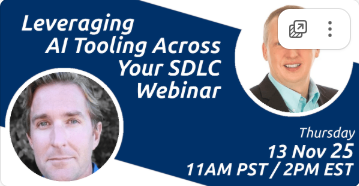
AI is transforming how software gets built. Teams that integrate AI into their SDLC the right way are seeing faster delivery cycles, lower costs, and higher ROI.

To help teams make that transition effectively, TechEmpower is hosting a webinar:
Leveraging AI Tooling Across Your Software Development Lifecycle.

The session will be moderated by Tony Karrer, CEO of TechEmpower, with featured guest Brent Laster,
author of The AI-Enabled SDLC (O’Reilly). They’ll share practical strategies for integrating AI tools
across every stage of software development—from planning and coding to testing, documentation, and deployment.

This webinar will help attendees connect the dots and move from ad-hoc AI experiments to real-world, AI-driven workflows that scale.

Event Details

  • Date:
  • Time:
    /
  • Reserve your spot


What You’ll Learn

  • AI use cases across key SDLC phases: where to start and how to scale
  • Real-world examples that work: AI-assisted coding, reviews, testing, documentation, and more
  • Team enablement strategies: roles, prompting approaches, and workflows for adopting AI

All registrants will receive the slides and a full session recording.

2-week spike to ramp up on AI Coding Tools

October 23, 2025

Tony Karrer

We’ve seen many companies stumble when rolling out AI coding assistants. Success depends on building knowledge, skills, and practical habits. We’re helping across all aspects of rolling out AI tools, but we have found one practice that accelerates proficiency:

2-week (10 work-day) AI Coding Tool Ramp-up Spike

Here’s how it works:

  • 2 days of focused training
    • Day 1 (Fundamentals): Core patterns of AI-assisted development – How to write precise prompts, how to review AI results, and how to refine code without creating technical debt. Engineers leave with a systematic workflow rather than just ad-hoc examples.
    • Day 2 (Advanced): Context management, multi-file refactors, breaking down features into AI-manageable chunks, debugging AI outputs, rules, MCP servers/services. Exercises surface common failure modes, ensuring teams build the reflexes to reset context, enforce consistency, and debug AI outputs.
  • 8 days of supported, hands-on ticket work
    • Developers pick up a variety of tickets and use the AI tool as part of getting the work done.
    • Task journaling — Each developer keeps a lightweight daily log of what worked and what didn’t, building a shared playbook.
    • Feedback loops: with AI champions — Daily check-ins with champions and facilitators and asynchronous support to help overcome early friction quickly and build skills quickly.

By the end of the two-week spike, engineers have built a foundation of habits, shared practices, and a clearer sense of where the tools genuinely improve code quality and developer experience. Leaders need to provide support for continued learning beyond this two-week period, but we’ve found this to be a critical first step.

Additional Reading:

Announcing the AI Developer Bootcamp

I’m excited to share something we’ve been working on: the TechEmpower AI Developer Bootcamp. This is a hands-on program for developers who want to build real LLM-powered applications and graduate with a project they can show to employers.

The idea is simple: you learn by building. Over 6–12 weeks, participants ship projects to GitHub, get reviews from senior engineers, and collaborate with peers through Slack and office hours. By the end, you’ll have a working AI agent repo, a story to tell in interviews, and practical experience with the same tools we use in production every day.

Now, some context on why we’re launching this. Over the past year, we’ve noticed that both recent grads and experienced engineers are struggling to break into new roles. The job market is challenging right now, but one area of real growth is software that uses LLMs and retrieval-augmented generation (RAG) as part of production-grade systems. That’s the work we’re doing every day at TechEmpower, and it’s exactly the skill set this Bootcamp is designed to teach.

We’ve already run smaller cohorts, and the results have been encouraging. For some participants, it’s been a bridge from graduation to their first job. For others, it’s been a way to retool mid-career and stay current. In a few cases, it’s even become a pipeline into our own engineering team.

Our next cohort starts October 20. Tuition is $4,000, with discounts and scholarships available. If you know a developer who’s looking to level up with AI, please pass this along.

Learn more and apply here

We’re starting to see a pattern with LLM apps in production: things are humming along… until suddenly they’re not. You start hearing:

  • “Why did our OpenAI bill spike this week?”
  • “Why is this flow taking 4x longer than last week?”
  • “Why didn’t anyone notice this earlier?”

It’s not always obvious what to track when you’re dealing with probabilistic systems like LLMs. But if you don’t set up real-time monitoring and alerting early, especially for cost and latency, you might miss a small issue that quietly escalates into a big cost overrun.

The good news: you don’t need a fancy toolset to get started. You can use OpenTelemetry for basic metrics, or keep it simple with custom request logging. The key is being intentional and catching the high-leverage signals.

Here are some top reads that will help you get your arms around it.

Top Articles

AI Coding Assistants Update

September 16, 2025

Tony Karrer

The conversation around AI coding assistants keeps speeding up, and we are hearing the following questions from technology leaders:

  • Which flavor do we bet on—fully-agentic tools (Claude Code, Devin) or IDE plug-ins (Cursor, JetBrains AI Assistant, Copilot)?
  • How do we evaluate these tools?
  • How do we effectively roll out these tools?

At the top level, I think about:

  • Agentic engines are happy running end-to-end loops: edit files, run tests, open pull requests. They’re great for plumbing work, bulk migrations, and onboarding new engineers to a massive repo.
  • IDE assistants excel at tight feedback loops: completions, inline explanations, commit-message suggestions. They feel safer because they rarely touch the filesystem.

Here’s a pretty good roundup:

The Best AI Coding Tools, Workflows & LLMs for June 2025.

Most teams I work with end up running a hybrid—agents for the heavy lifting, IDE helpers for day-to-day quick work items.

Whichever path you take, the practices you use matter the most.

Some examples to get you started:

Reading list

Generative AI is revolutionizing how corporations operate by enhancing efficiency and innovation across various functions. Focusing on generative AI applications in a select few corporate functions can contribute to a significant portion of the technology’s overall impact.

Key Functions with High Impact

Generative AI is revolutionizing sales by enabling dynamic pricing and personalized customer interactions, boosting conversion rates and customer satisfaction. AI chatbots are increasingly capable of handling tasks traditionally performed by inside sales reps, such as initial customer contact, basic inquiries, and lead qualification. This shift allows business to reallocate human resources to more complex and strategic roles, or eliminate those positions entirely. Post-sale, AI analyzes customer data to improve service and loyalty, making it a cornerstone of modern sales methodologies. This AI-centric approach transforms sales into a data-driven field, emphasizing efficiency and personalized customer experiences.

Similarly, in customer support, AI-driven chatbots and automated response systems are taking over routine support, effectively handling common issues such as account inquiries or basic troubleshooting. TechEmpower has been instrumental in developing chatbots like these, utilizing generative AI to sift through internal documents and user manuals, enabling them to provide precise answers to customer service questions. This level of automation not only improves response times and consistency in customer service but also allows human customer support agents to focus on more complicated and nuanced customer interactions.

At TechEmpower, we are using LLMs, RAG, fine tuning and other Generative AI techniques to  revolutionize a key part of day-to-day operations in healthcare. The standards in healthcare dictate that we achieve reliable results. Working closely with world-class medical experts, we have created an innovative solution that achieves accuracy and can be tailored to particular medical practices. The result significantly lightens the workload for healthcare professionals, allowing them to focus on decision making and patient care.

AI empowers businesses to craft more impactful marketing campaigns by utilizing data analytics for content personalization and market trend forecasting, thereby significantly enhancing campaign relevance and effectiveness. Instead of just counting clicks, AI can analyze a range of factors like user engagement duration, the relevance of ad placement in relation to the content being viewed, and historical purchasing behavior of the viewers. The shift towards AI-driven ad technologies enables brands to set and achieve highly specific engagement KPIs, moving away from generic strategies to more personalized, data-driven approaches that resonate with their target audience. At TechEmpower, we’ve used LLMs as part of marketing strategies where you can find and classify companies, personalize outreach campaigns and have personalized drip campaigns.

In the sphere of software engineering, AI is pivotal for corporate IT by automating coding, optimizing algorithms, and enhancing security to boost efficiency and minimize downtime. It plays a crucial role in product development too, where generative AI speeds up design processes, streamlines testing, and tailors user experiences effectively. This technological integration into software engineering not only enhances the productivity of development teams but also ensures that IT infrastructures are robust and reliable. By automating routine and complex tasks alike, AI allows engineers to focus on innovation and strategic tasks. Overall, generative AI is a transformative asset in the software engineering lifecycle, from conception to deployment. At TechEmpower, we’ve used generative AI across a wide range of capabilities for ourselves and our clients. This includes: Github Copilot, PR summarization, user story creation including test and edge cases, creating unit and behavior tests, query optimization, debugging, and more.

In the domain of Product Research and Development (R&D), generative AI acts as a catalyst for innovation, significantly accelerating the ideation and creation phases of product development. By processing and analyzing large datasets, AI can identify emerging trends, enabling companies to align their product strategies with future market demands. It also facilitates rapid prototyping, allowing for quicker iterations and thus shorter development cycles. In testing, AI can simulate a multitude of scenarios, predicting performance outcomes and potential failures before they occur, which reduces the risk and cost associated with physical prototyping. Overall, generative AI in product R&D not only streamlines the development process but also empowers companies to lead with cutting-edge, data-driven products.

Other Notable Functions

Generative AI is poised to revolutionize supply chain management by enhancing demand forecasting, enabling businesses to anticipate market changes and adjust inventory accordingly. It can also optimize logistics through route and delivery scheduling, leading to reduced operational costs and improved delivery times. In manufacturing, AI facilitates the transition to smart factories by implementing predictive maintenance, which minimizes downtime, and by optimizing production lines for increased efficiency and reduced waste. These advancements allow for a more resilient and responsive supply chain, as well as a manufacturing sector that can swiftly adapt to new challenges and opportunities, thereby driving substantial corporate impact.

In corporate finance, generative AI is a transformative force, enhancing decision-making and operational efficiency. AI’s prowess in detecting and preventing fraud provides an added layer of security, safeguarding assets and transactions. Moreover, it automates routine tasks such as transaction processing and report generation, freeing finance professionals to focus on higher-level strategy and analysis. By integrating AI, finance departments can achieve greater accuracy, efficiency, and risk management, significantly impacting the overall financial health and strategy of a corporation.

AI can significantly aid Human Resources (HR) departments in reducing costs through various means. It can be used to quickly scan and shortlist resumes, reducing the time and resources spent on the initial stages of the recruitment process. This not only speeds up hiring but also lowers the costs associated with lengthy recruitment cycles. AI-driven platforms can also streamline the onboarding process, providing new hires with personalized learning paths, thereby reducing the need for extensive HR personnel involvement and ensuring quicker employee ramp-up.

Incorporating AI into Corporate Legal departments can significantly reduce costs and enhance efficiency. AI-driven document review and analysis expedite the handling of large volumes of legal documents, contracts, and case files, saving considerable time and labor costs. Contract management is streamlined as AI systems monitor contract lifecycles, ensuring compliance and mitigating risks of costly oversights. Predictive analytics offered by AI can inform legal strategies, aiding in the decision-making process to avoid unwinnable cases and focus resources effectively. Additionally, AI facilitates automated legal research, stays abreast of the latest laws and regulations, and aids in compliance monitoring, preventing expensive legal violations.

While legal departments must be cautious in their use of AI, ensuring that it complements rather than replaces the nuanced judgment of experienced legal professionals, the benefits are substantial. AI-powered tools can handle routine inquiries and draft standard documents, freeing up legal staff for complex tasks. In litigation, AI greatly improves the efficiency of the e-discovery process. The overarching impact of AI in corporate legal settings is a more streamlined, cost-effective department, where resources are allocated strategically and the risk of legal missteps is minimized.

Want to learn how TechEmpower can help you drive impact with AI?

Conclusion

Generative AI is revolutionizing the way TechEmpower enables corporate innovation and efficiency across a multitude of sectors. By automating routine tasks, enhancing data analysis, and fostering personalized strategies, this technology is a strategic asset driving our clients towards a future marked by greater efficiency, cost-effectiveness, and innovation. We utilize generative AI to provide cutting-edge solutions across various domains, establishing TechEmpower as a leader in leveraging AI to deliver tangible benefits and drive progress for our clients.

Selecting a Software Development Company in 2024

December 11, 2023

Brad Hanson

In 2023, there were approximately 26.3 million software developers worldwide. This vast pool of talent showcases a wide range of experience and portfolios, quality of work, and inquisitiveness. Given this diversity, it’s important to be selective in the development services company with whom you choose to partner. In the 25 years that TechEmpower has been in business, we’ve seen thousands of companies come and go. Here is what we’ve learned:

Understanding your needs

Identifying the skills you truly need is paramount as different firms boast distinct skill sets. Here are some items to think about:

  • Have you defined the functionality?
  • Is user interface and graphic design a necessity? Do you have the basics already defined and merely need them fleshed out? Or is your project a clean slate?
  • Are there complexities revolving around algorithms or databases?
  • Do you anticipate scale issues presently or in the future?
  • Are specific technologies or platforms involved in your project?

You’ll discover firms that are prolific in design/interface and light on development, and vice versa. Some offer specialized skill sets like expertise in a particular programming language or framework, or specific domain knowledge. Depending on your needs, a combination of these skills may be desirable. In fact, you might have to secure them from diverse people/firms.

This article will primarily focus on locating and evaluating development companies, rather than design firms. If you require user interface or graphic design, the selection process will differ slightly. Some of the information below will apply. Ensure that you investigate the designers’ past work, samples of their work product, and their process. Know who will be undertaking the actual work, and who will be acting in a supervisory or account role.

Here’s what to consider

Experience and Portfolio: What type of projects has the company completed? Who was involved in those projects, and are they still part of the firm? Has the company handled projects similar to yours? Do they have experience with the technologies involved in your project? Make certain you explore these projects. Were they finished on time and on budget? Did the clients consider them a success? Are they publicly available?

Beware of being swayed by big-name firms or impressive name-dropping. Although noteworthy, working with large corporations differs remarkably from working with startups. Understand exactly what the company contributed to each project. Be wary of firms that claim portfolio items which were executed at a different company/role—unfortunately, this practice is not uncommon, especially in newer firms.

Quality of Work: The end product should not only look good but function as expected. Don’t be charmed by an impressive aesthetic at the expense of functional results. While the appearance matters, remember you are hiring the development firm primarily for its development skills, not its graphic design skills.

Inquisitiveness: Prior to starting the project, you should receive an estimate of the work effort. To provide an accurate estimate, the firm should ask a multitude of questions. Our blog post 53 Questions Developers Should Ask Innovators has a list of questions any good development team would ask. Companies that quote without inquiry are either oblivious to the questions required or uninterested in understanding your actual needs. Avoid them.

Assess the Company’s Website: The company’s own site provides a clue to its dedication to aesthetics and content. However, an overly attractive site could indicate a leaning towards design over development.

Employee and Contractor Details: How many full-time W2 employees and contractors do they employ, and where are they located? If so, what’s the vibe like? What are the employees and contractors’ skills?

Project Management: Get a clear understanding of the company’s process. How do they verify the ongoing progress of development? How do they handle testing? What are the review periods and your responsibility in the process? Ensure you know what each side expects from the other.

Budget and Deadlines: Determine if budgeting and deadlines are flexible. How does the percentage of their projects launched on-time and on-budget compare to upfront estimates?

Communication: Evaluate their communication style. Is there a project manager? An account manager? Will you have direct access to a lead developer? While beneficial, some project managers hinder effective communication.

Support and Maintenance: After the launch of your application, what support does the company provide? Do they assist with the transition to in-house or other developers? How do they handle hosting and support?

Client Retention: Do they have repeat or long-term clients?

References: The company should willingly provide references. Consider also reaching out independently to people at companies mentioned in their portfolio, accessible via LinkedIn.

Potential red flags

The following issues can suggest potential risks:

  • Lack of inquisitiveness
  • Not discussing mobile strategies
  • Recommending outdated technologies
  • The firm’s age (less than two years old)
  • The company’s size (fewer than 10 people)
  • Price significantly lower than competitors
  • Lack of maintenance planning post-launch
  • Disinterest in learning about you or your project
  • A high-pressure sales environment

In summary, ensure the company you choose aligns with your specific needs and shares your enthusiasm for the project. It’s a strategic choice that extends beyond a one-time development process and into anticipating future needs. By following these guidelines, you’ll be better equipped to select a web development company that accurately reflects your project aspirations.


Do you have an idea for a software project? Or do you need help evaluating software firms? Either way, we can help!